Document management problems rarely begin with a dramatic failure. They usually start with small delays: someone cannot find the latest proposal, a reviewer comments on an old copy, or a teammate spends ten minutes checking three folders for the same file. Repeated across a team, those small interruptions turn document handling into daily friction. The bigger risk is not untidy storage. It is making decisions with outdated, incomplete, or poorly controlled information.
A useful document system should make a few things easy to answer: Where is the current file? Who owns it? Who may edit it? Has it been approved? What happens when it becomes outdated? When those answers depend on memory, inbox searches, or asking the same colleague again, the process is already slowing down.
Why Document Management Problems Create So Much Friction
Documents sit between many kinds of work. Project plans affect tasks. Policies affect decisions. Specifications affect production. Meeting notes affect follow-up. Contracts, briefs, reports, templates, spreadsheets, and procedures often pass through several people before the work around them is finished.
That means a document delay can create a queue behind the file. One missing approval may hold up several people. One duplicate version may send two coworkers in different directions. A poorly labeled folder may seem minor until a new employee has no idea which material can still be trusted.
A useful warning sign: if people regularly ask “Which file should I use?” the issue is probably no longer individual organization. It has become a team process problem.
Common Assumptions That Keep Weak Systems in Place
- “Everyone knows where the files are.” This may be true for long-serving team members and completely false for new hires or occasional collaborators.
- “The newest date means the newest version.” Downloads, uploads, copies, exports, and offline edits can make dates misleading.
- “Search will find everything.” Search quality drops when names, metadata, ownership, and storage locations are inconsistent.
- “More folders mean better organization.” Deep folder trees often create more choices without adding useful context.
- “We can clean it up later.” Once duplicates and abandoned files multiply, nobody may know which records are safe to archive.
Mistake 1: Storing Working Documents in Too Many Places
Why It Happens
A file may begin in cloud storage, get downloaded for editing, return as an email attachment, appear in a team chat, and later be copied into a project folder. Each step feels harmless. Together they create multiple competing locations.
Early warning signs: people share attachments instead of links, coworkers keep personal copies “just in case,” or the same document name appears in several repositories.
Worst-case result: different parts of the team continue work from different copies. Feedback, calculations, or decisions may then need to be repeated because nobody can reliably identify the authoritative file.
Safer approach: teams generally move faster when each document category has a clearly understood home and shared work happens there. Other channels can point to the document rather than becoming additional storage systems.
Mistake 2: Using File Names as the Version-Control System
Why It Happens
Names such as final, final2, approved-new, or latest-revised are easy to create, so they become an informal substitute for version history. The problem appears when two people create their own “latest” copy.
Early warning signs: filenames contain several status words, teammates compare modified dates before opening files, or reviewers ask whether their comments were made on the right copy.
Worst-case result: an older revision can return to active use after newer work has already been reviewed. A team may then spend hours reconstructing which edits should be preserved.
Safer approach: built-in version history, controlled revisions, and a visible current version reduce the need for people to encode document history manually into filenames.
Mistake 3: Leaving Document Ownership Unclear
Why It Happens
Shared documents sometimes become everyone’s responsibility in theory and nobody’s responsibility in practice. People can edit them, but no one is clearly responsible for deciding whether the content is still accurate.
Early warning signs: outdated sections stay untouched, review requests bounce between coworkers, or nobody knows who may declare a document finished.
Worst-case result: work stalls while people wait for decisions, or an outdated document quietly remains the reference point for future tasks.
Safer approach: important documents benefit from a named owner or owning role. Ownership does not mean doing every edit. It means there is a known person responsible for status, review, and eventual retirement.
Mistake 4: Creating Naming Rules That Nobody Can Follow Consistently
Why It Happens
Some teams have no naming convention. Others create one with so many abbreviations, dates, department codes, project IDs, and status markers that people have to look up the instructions every time they save a file.
Early warning signs: equivalent documents use different date formats, project names are shortened several ways, or employees rename files after someone else uploads them.
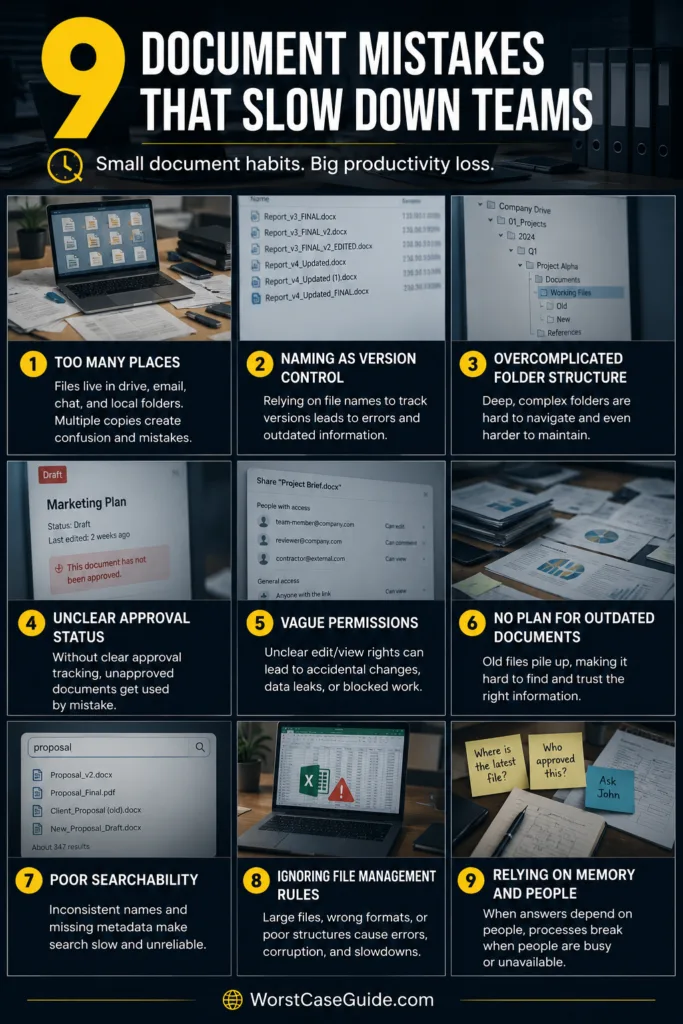
Worst-case result: search becomes less reliable and duplicate files are created because existing material appears not to exist.
Safer approach: a short convention based on information people actually use—such as project, document type, and meaningful date—can be easier to maintain. Metadata can carry details that do not belong in the filename.
Mistake 5: Running Approvals Through Email and Chat Threads
Why It Happens
Email and chat are convenient places to ask for feedback. They become less useful when the team must later determine whether a comment was a suggestion, a rejection, or an actual approval.
Early warning signs: people search old conversations for “approved,” reviewers receive repeated reminders, or the document itself does not show its current review status.
Worst-case result: a file can sit untouched because everyone assumes somebody else is reviewing it. In another scenario, work may continue before the intended reviewer has seen the current revision.
Safer approach: approval status works better when it stays connected to the document and to a specific version. A simple draft, review, approved, or returned state may provide more clarity than a long conversation scattered across several channels.
Mistake 6: Giving Too Many People Editing Access
Why It Happens
Broad permissions remove short-term access barriers. They can also make it difficult to tell who is expected to edit, review, publish, or simply read a document.
Early warning signs: large groups have edit rights, former project members remain in shared spaces, or people make accidental changes while trying only to read a file.
Worst-case result: unnecessary edits, accidental moves, and unclear accountability can create rework. Teams may also become hesitant to update documents because too many people appear to have equal control.
Safer approach: access can reflect the work people actually perform. Readers, contributors, reviewers, and owners do not always need the same level of control.
Mistake 7: Building Folder Trees That Are Too Deep
Why It Happens
When a folder becomes crowded, creating another subfolder feels tidy. Repeating that response can produce paths where employees must make five or six classification decisions before reaching the place where a document might belong.
Early warning signs: similar folders exist at several levels, people bookmark deep locations because navigation is difficult, or files regularly end up in a general “miscellaneous” folder.
Worst-case result: employees create new storage locations rather than searching the existing structure. The system slowly becomes a maze, and familiarity matters more than logic.
Safer approach: fewer meaningful categories, useful metadata, and predictable search terms can reduce navigation steps. In smaller projects, a shallow folder structure may be enough. Larger systems may rely more heavily on classification and filters.
Mistake 8: Keeping Active and Obsolete Documents Together
Why It Happens
Deleting or archiving old material can feel risky when nobody is certain whether it may still be needed. The easiest response is to keep everything visible forever.
Early warning signs: expired templates appear next to current ones, search results contain years of outdated copies, or folders contain documents for projects that ended long ago.
Worst-case result: someone selects an obsolete procedure or template because it looks nearly identical to the active one. Search also becomes noisier as irrelevant material competes with current work.
Safer approach: active, archived, and retired states can be separated without immediately destroying historical material. Review dates and ownership also make it easier to decide when a document should leave the active workspace.
Mistake 9: Treating Document Management as Separate From the Work Around It
Why It Happens
A document may be perfectly organized inside its repository while the related task, deadline, approval, meeting, or project decision lives somewhere else. People then have to reconstruct the relationship themselves.
Early warning signs: task descriptions contain vague instructions such as “check the shared drive,” project discussions repeatedly ask for document links, or teammates cannot tell which file belongs to a particular deliverable.
Worst-case result: the file exists and the task exists, yet work still stops because the connection between them has been lost. This is one of the stranger forms of document delay: nothing is technically missing, but nobody can move confidently.
Safer approach: documents can be connected to the workflow that gives them meaning. A project task may reference the working file, the document may show its owner and status, and an approval may stay attached to the exact revision being reviewed.
How These Mistakes Usually Show Up in Daily Work
| What the Team Notices | Likely Underlying Problem | Possible Result |
|---|---|---|
| People repeatedly ask for the latest file | Multiple storage locations or weak version control | Duplicate work and outdated edits |
| Reviews take longer than expected | Unclear ownership or informal approvals | Work waits without a visible next step |
| Search returns too many similar files | Poor naming, metadata, or archiving | Employees open several files before finding the right one |
| New employees depend heavily on coworkers | Folder structure relies on tribal knowledge | Slow onboarding and repeated questions |
| Documents are easy to find but tasks still stall | Files are disconnected from workflow status | Ownership and next actions remain unclear |
The Risk Patterns Behind Slow Document Systems
Most document delays come from a few recurring patterns. Ambiguity makes people stop and verify. Duplication forces them to compare. Missing ownership makes them wait. Weak lifecycle rules make old information compete with current information.
There is another pattern worth noticing: adding more software does not automatically remove these problems. A team can have cloud storage, project software, chat, automated search, and version history and still lose time if nobody agrees on where official work lives or how a document moves from draft to approved use.
If document management feels slow, the useful question may not be “Do we need another tool?” It may be “Where does uncertainty enter the process?” A few minutes of uncertainty repeated across many files can become more disruptive than one obvious technical failure.
Questions Teams Commonly Have About Document Management Delays
What is the most common document management mistake?
Multiple sources of truth are among the most damaging patterns because they make version control, ownership, search, and approval harder at the same time. A team may have well-organized folders and still struggle if official documents also circulate through downloads, inboxes, and personal storage.
Are folder structures still useful for document management?
Yes. Folders can provide useful context, especially in smaller teams and straightforward projects. Problems tend to appear when the structure becomes so deep or inconsistent that people need prior knowledge to navigate it. Search, metadata, and shallow categories can work alongside folders rather than replacing them completely.
Why do version problems happen even with cloud storage?
Cloud storage can maintain version history, but teams may still create parallel copies through downloads, attachments, exports, duplicate uploads, or separate workspaces. The underlying issue is often how people work with the file rather than whether the storage platform can technically record revisions.
Can too much document organization slow a team down?
Yes. A system can become difficult to use when every file requires many tags, naming rules, folder choices, approval steps, or permission decisions. Controls are most useful when they match the value and risk of the documents being managed.
How can a team tell whether document management is causing delays?
Repeated searches for the same files, frequent version questions, stalled approvals, duplicate documents, unclear owners, and heavy dependence on experienced coworkers are practical warning signs. The delay often appears in small repeated interruptions before it becomes visible as a larger workflow problem.